Reducing IT costs is on every small business’s radar, especially with rising energy prices. Beyond just cutting bills, optimising power usage is a responsible move toward sustainable operations. From using cloud solutions to configuring sleep settings on desktops, here are some actionable tips to help your small business save on IT power costs (by up to 60%).
Monitor Usage with Smart PDUs
If you’re running on-premises hardware, consider investing in Smart Power Distribution Units (PDUs). These let you monitor and manage power usage on a granular level, helping you understand which devices consume the most energy. Some models allow remote control, so you can shut down non-critical systems when they’re not in use.
MTG also supply IoT power monitors that can monitor whole-building power, including lighting, mains outlets and plant equipment.
Move to Azure
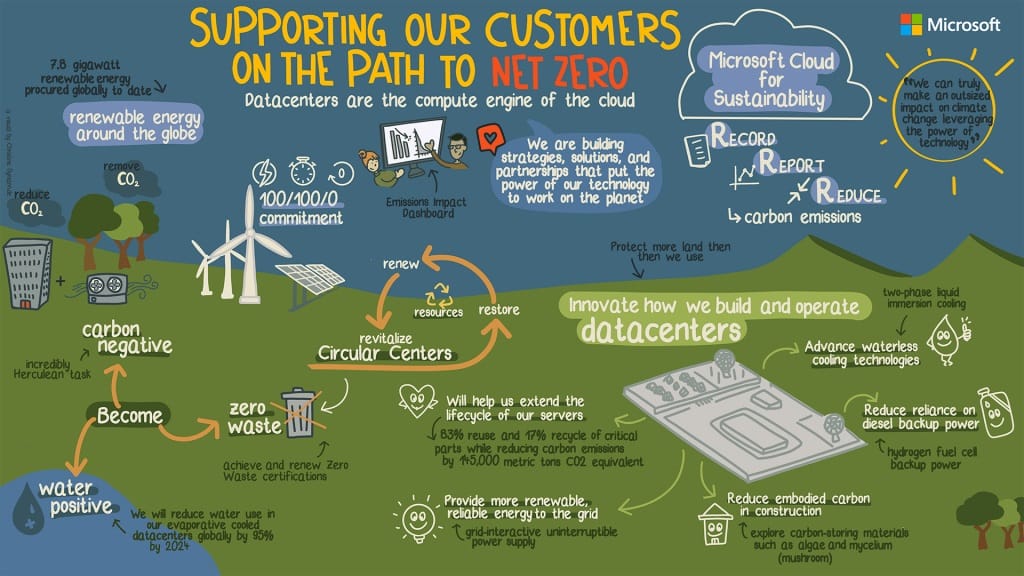
One simple way to reduce power consumption is by moving your IT infrastructure to the cloud. Using platforms like Microsoft Azure – which has been 100% carbon-neutral since 2012 – not only lowers your hardware footprint but also cuts down on on-site energy use. Azure’s scalability also ensures you’re only paying for what you need, which helps control costs even further.
While Cloud is not the answer to everything, ESG and the cost of power should be considered alongside agility, security, and IT operating costs.
Pro tip: The cloud can also free up physical space in your office, reducing cooling and maintenance costs.
Increase Server Density (If You Keep On-Prem)
If cloud isn’t suitable for everything, consolidation matters. Many small businesses run multiple lightly-loaded servers “just in case”. That’s expensive in power and cooling.
Modern hosts are designed to run efficiently at moderate utilisation. Fewer servers at 30–40% load will consume significantly less power than many servers idling at 5–10%. Decommission unused VMs, merge roles where sensible, and stop running legacy systems out of habit. This is one of the easiest ways to cut power without impacting users.
Switch to Cloud PCs for Desktops
For day-to-day office work, consider using cloud PCs like Windows 365 with ultra-low wattage terminals. These lightweight devices use less power than traditional desktops and connect directly to your cloud infrastructure. They’re efficient, secure, and perfect for hybrid or remote work environments.
Don’t forget the UPS
UPS systems are often forgotten – and quietly waste power 24/7. Older double-conversion UPS units can lose a significant amount of energy as heat, especially when oversized. Poorly sized UPS systems run inefficiently at low load and shorten battery life. Modern, correctly sized UPS units can reduce losses, lower cooling demand and improve efficiency.
Application-driven power usage
Background applications, excessive start-up items, browser tab sprawl, and poorly optimised sync tools keep CPUs awake and fans spinning. Standardising applications, limiting start-up processes, and reducing always-on background tasks lowers average CPU utilisation across the estate. Power consumption isn’t just hardware – software matters. Microsoft Edge has an often overlooked ‘Efficiency Mode‘ that reduces power consumption, improves battery life, etc.
Set Power Management Policies with Intune
If you’re sticking with traditional desktops, make sure they’re set up with optimal power settings. Intune, Microsoft’s device management platform, lets you enforce power management policies across your network, such as putting devices to sleep after 15 minutes of inactivity. These small adjustments can save a surprising amount on your energy bill over time.

Enable Green Mode on Network Switches
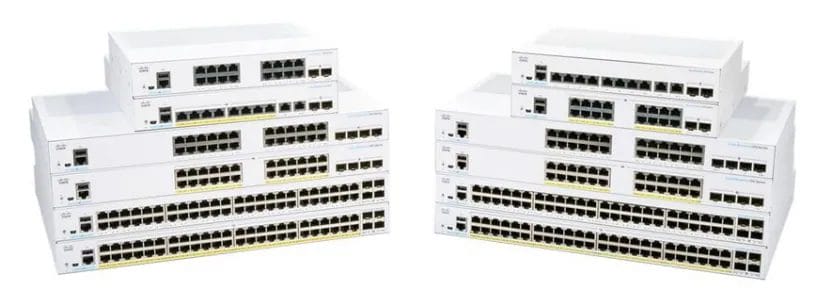
Network equipment like ethernet switches can be big power hogs. Some newer models offer a “green mode” that automatically reduces power consumption during off-peak times. If your switches support this feature, enable it for an easy way to save power without sacrificing connectivity. Green Ethernet is based on the 802.3az standard, and is supported by most major vendors. It is estimated Green Ethernet can provide power savings of up to 80% vs standard switch consumption.
Consolidate Your Printers
The “printer-per-person” model might be convenient, but it’s far from energy-efficient. Consider consolidating to shared printers with high-efficiency settings. Centralising printing not only reduces power usage but also saves on toner and paper.
Upgrade legacy equipment
Older desktops and servers are often less energy-efficient than modern equipment. Upgrading to newer desktops with low-power CPUs – such as those in the Intel Core i3 or AMD Ryzen series – can reduce power consumption substantially (it is important to evaluate power vs performance in all cases!). For example, an older desktop with a standard CPU might consume around 150 watts, while a newer, energy-efficient model can use as little as 50-65 watts under similar loads. Multiply this by multiple desktops in your office, and the energy savings quickly add up.
Newer, energy-efficient CPUs can reduce power usage by up to 60%, helping businesses lower both energy costs and their carbon footprint.”
Reduce IT Power Costs
As part of our IT-as-a-Service (ITaaS) offering, we design, implement, and manage intelligent power policies that reduce wasted energy across desktops, servers, and cloud workloads.
Customers typically see up to 60% reductions in IT power consumption, without compromising performance or security. Get in touch to see what optimisation would look like in your environment.