Microsoft’s Copilot licensing is getting more flexible – but also more complicated.
You’ve now got Microsoft 365 Copilot, Copilot Chat, Agents, Copilot Studio, Copilot Credits, PAYG, capacity packs and Cowork.
So, here’s the simple version.
Does everyone need a Microsoft 365 Copilot licence?
No.
If someone wants Copilot integrated into their everyday work – Outlook, Teams, Word, Excel, PowerPoint and their wider Microsoft 365 data – then a Microsoft 365 Copilot licence makes sense.
For SMEs already using Microsoft 365 Business Premium, Microsoft now offers Business Premium with Copilot as a combined licence.
But you don’t necessarily need to licence your entire workforce.
What if employees only need to use AI Agents?
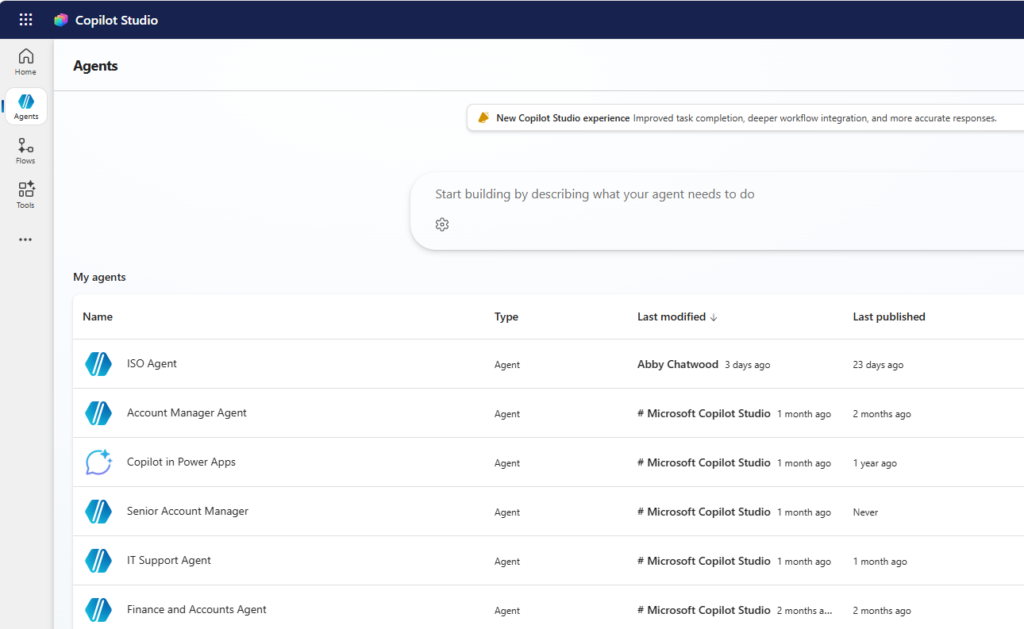
This is where things get interesting. An Agent is essentially an AI assistant designed for a particular job.
You might have an HR Agent answering questions about company policies, an IT Agent helping with common support issues, or a Compliance Agent helping employees find the correct procedure.
Employees don’t necessarily need a full Microsoft 365 Copilot licence just to interact with an Agent. Instead, the business can pay for qualifying Agent usage through Copilot Credits, using prepaid capacity or PAYG.
So rather than giving 100 employees full Copilot licences, you might give 20 people Copilot and give everyone access to a handful of genuinely useful Agents.
Do Agents cost extra if you already have Copilot?
or many interactive scenarios within Microsoft 365, Agent usage by an appropriately licensed Microsoft 365 Copilot user is included within their entitlement. But there are some important exceptions.
Autonomous Agents are a good example. If an Agent is monitoring an inbox, running on a schedule, watching for changes or performing work in the background, that’s different from somebody asking it a question. The Agent is effectively doing a job. And that can incur Copilot Credit consumption.
Likewise, Agents used by unlicensed users or deployed into external channels such as websites and bespoke applications can introduce consumption charges.
What about Cowork?
Cowork is metered too. Cowork allows Copilot to undertake more involved pieces of work on behalf of users rather than simply responding to individual prompts. That can be extremely useful, but businesses need to consider the additional consumption alongside their normal Copilot licensing.
Can we control all of this?
Yes – and this is probably the bit businesses need to think about most carefully.
As Agents become easier to create, organisations need controls around:
- Who can create and publish Agents
- What company information they can access
- Whether they can operate autonomously
- Where they can be deployed
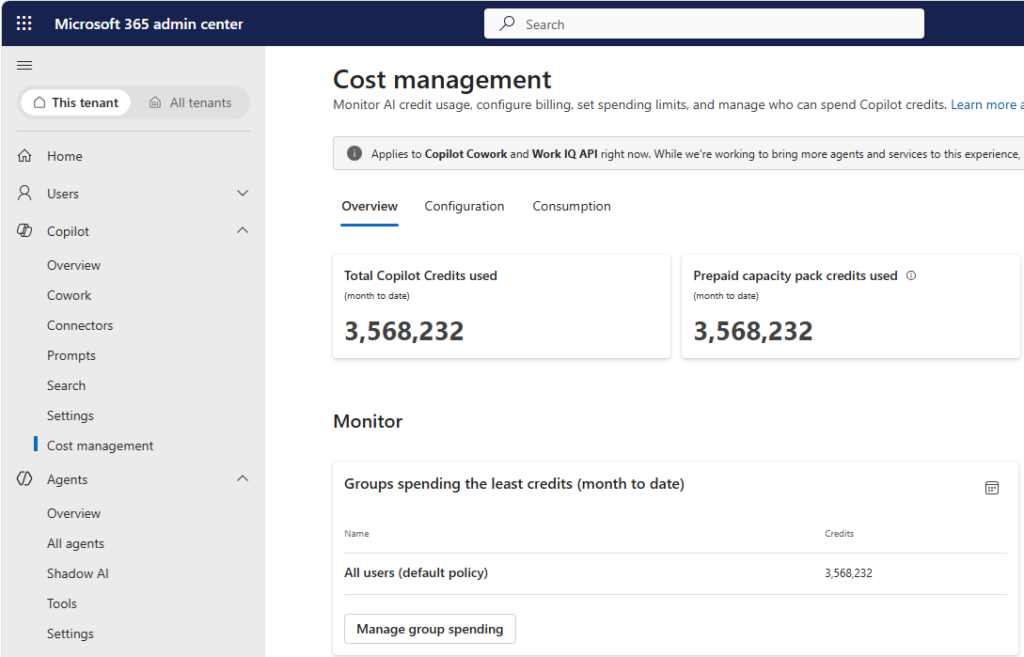
- How much AI capacity they can consume
Think of it like giving employees company credit cards. The individual transactions might be small, but you still want controls over who has one and how it can be used. Microsoft is developing Agent 365 to provide greater management and governance of AI Agents as their use across organisations grows.
So, what’s the sensible approach?
For most SMEs, we think it’ll be a mixture:
And before doing any of it, sort out your Microsoft 365 data and permissions. Copilot respects your existing permissions. If your SharePoint environment is a mess, AI doesn’t magically fix it – it just finds the mess faster.
We covered that separately in Your AI is Only As Good As Your Data – Data Governance.
The bottom line
Don’t start with “How many Copilot licences should we buy?”. Start with “What do we actually want AI to do?”
Some employees will benefit from full Microsoft 365 Copilot. Others may only need access to specific Agents. And some business processes may eventually be handled by autonomous Agents. The right answer is likely to be a combination of all three.
Manx Technology Group can help you work out the right Microsoft Copilot, Agent and governance strategy before you start buying licences.