
If your SharePoint feels like a dumping ground, you’re not alone. We see it all the time – businesses move to Microsoft 365, then recreate the same messy file server in the cloud. Folders inside folders, duplicate documents, and no one quite sure what’s current. It slows people down and quietly increases risk. This post shows how to properly organise your M365 tenant so it actually works for you, not against you.
What is going wrong with SharePoint?
Most businesses treat SharePoint like a filing cabinet – just digital instead of physical.
We’ve seen tenants with hundreds of Teams and sites created on the fly, no naming standards, and documents scattered everywhere. Staff end up saving files “just in case”, which creates multiple versions and confusion over what’s correct. The issue is simple: SharePoint isn’t designed to behave like a traditional file server. It’s built for collaboration, search, and structure.
Without data governance, things spiral. What starts as a tidy setup turns into digital clutter – and finding anything becomes a bit like playing whack-a-mole with a blindfold.
Why should business owners care?
This isn’t just untidy – it has real business impact.
- Lost time: Staff spend longer searching than working
- Bad decisions: Outdated or duplicate files get used
- Security exposure: Too many people have access to too much
- Compliance gaps: No control over retention or deletion
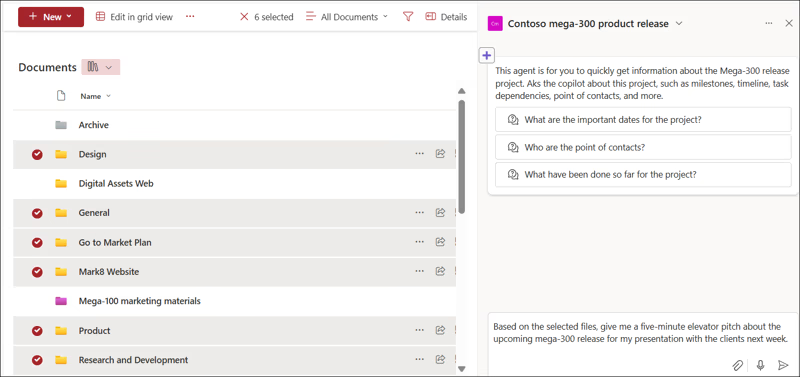
From a GDPR perspective, that’s a problem. You’re responsible for knowing where your data is, who can access it, and how long it’s kept. It also affects tools like Microsoft Copilot. If your data is messy, Copilot will surface messy results – quickly and confidently. Not ideal.
Practical steps to organise your M365 tenant
You don’t need to rip everything out and start again – but you do need structure.
- Define a clear structure
Set rules for when to create a Team or SharePoint site (e.g. department, project, client). Not every task needs a new space. - Introduce naming conventions
Keep it simple and consistent – e.g. “HR – Policies”, “PRJ – ClientName”. This makes search and navigation far easier. - Fix permissions properly
Use groups, not individuals. Align access to roles so it’s easy to manage and audit. - Reduce folder sprawl
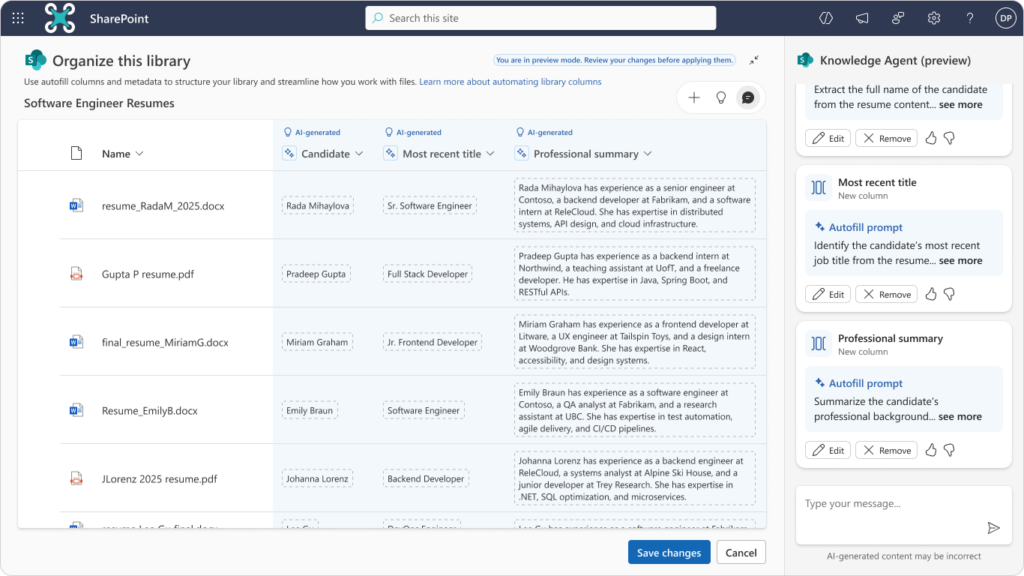
Avoid deep nesting. Use metadata and clear top-level structure instead of endless subfolders. - Apply lifecycle policies
Automatically archive or delete old content so your tenant doesn’t grow uncontrollably.
Think of it less like storage, and more like a system that needs rules to function properly.
How Manx Technology Group can help
We help businesses clean up and structure their Microsoft 365 environments properly – without disrupting day-to-day operations.
That includes governance, naming standards, permissions, and lifecycle policies that actually stick. With our managed IT service, we also prepare your tenant for tools like Copilot and automation, so you get value instead of frustration.
SharePoint isn’t the problem – how it’s set up usually is. With the right structure and governance, it becomes a powerful business tool rather than a digital mess.
If your tenant feels out of control, it’s fixable – and worth sorting before it costs you more time and risk.